---
title: "Getting Started"
description: "Learn how to install and set up Silk in your React project."
version: "0.10.1"
---
Note that commercial use of Silk requires a commercial license. More information [here](https://silkhq.com/access).
## Install the package
To get started with Silk, install its npm package using your terminal.
```bash
npm install @silk-hq/components
```
## Import the styles
Silk makes use of low-level styles that must be imported into your project.
For convenience and flexibility, these styles are available in two versions: unlayered and layered. The layered version wraps Silk’s default styles into a CSS `@layer {}`.
### Basic
In a project that doesn’t make use of CSS layers, it is best to use the unlayered version. You can import it in different ways:
#### Import into a CSS file
You can import the styles directly into your global CSS file.
```css
/* ./global.css */
@import "@silk-hq/components/unlayered-styles.css";
```
#### Import into a JavaScript file
You can also import the styles in a JavaScript or TypeScript file at the root of your project.
```tsx
// ./index.tsx
import "@silk-hq/components/unlayered-styles.css";
```
### In a project using CSS layers (e.g. Tailwind V4)
In a project that makes use of CSS layers (e.g. using Tailwind V4), you can use both the unlayered and the layered version. In any case, Silk’s layer declaration must occur before that of your normal styles. You can import it in different ways:
#### Import into a CSS file
- You can import the **unlayered styles** into a layer directly into your global CSS, before your normal styles.
```css
/* ./global.css */
@import "@silk-hq/components/unlayered-styles.css" layer(silk);
/* @import "tailwindcss"; */
```
- Or you can import the **layered styles** directly into your global CSS, before your normal styles. This is useful for framework that have issues with CSS layered imports (e.g. Next.js).
```css
/* ./global.css */
@import "@silk-hq/components/layered-styles.css";
/* @import "tailwindcss"; */
```
#### Import into a JavaScript file
You can also import the layered styles in a JavaScript or TypeScript file at the root of your project, before importing any normal styles.
```tsx
/* ./index.tsx */
import "@silk-hq/components/layered-styles.css";
```
## Import and use the components
You can now import the components that you want to use anywhere in your code.
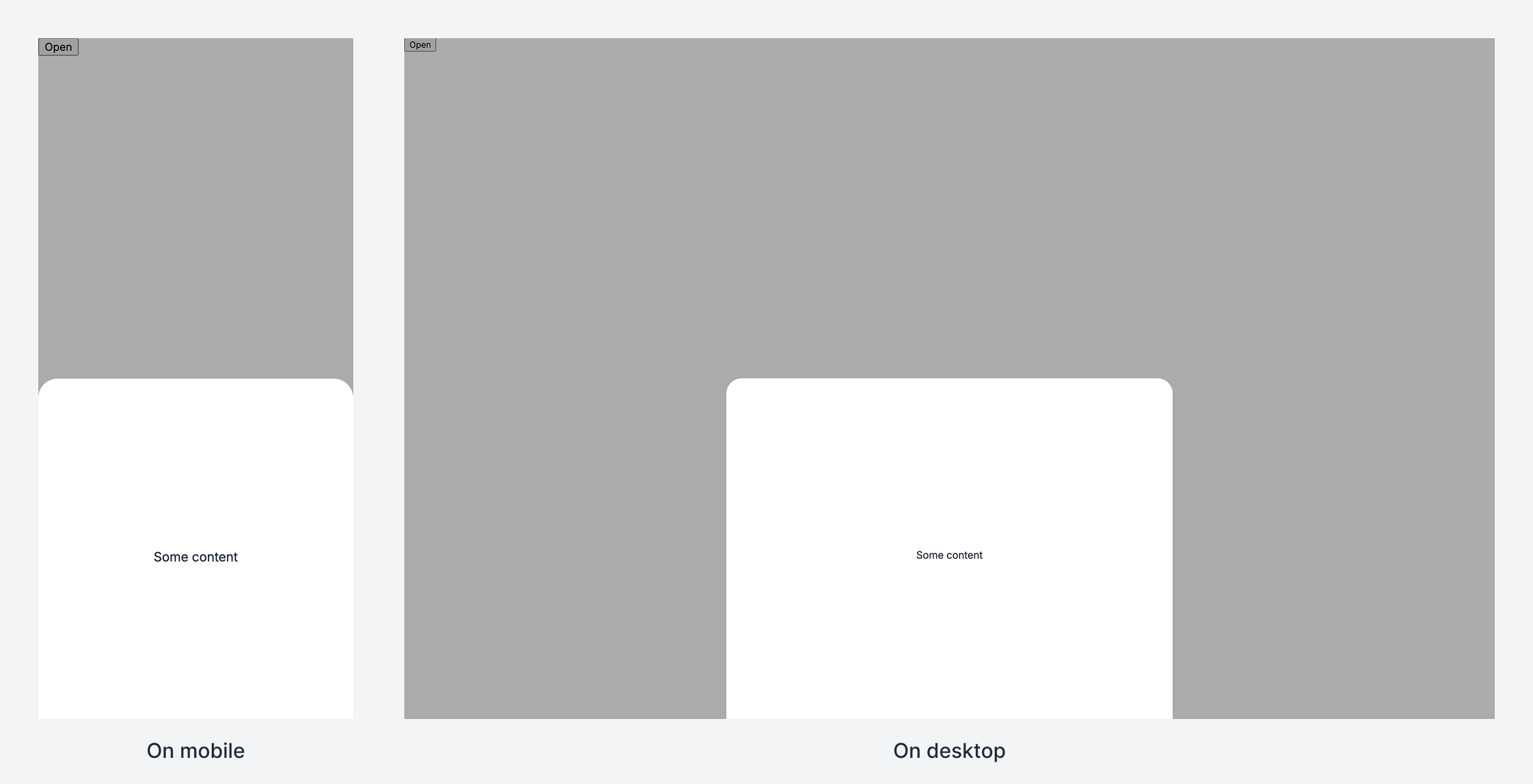
Creating a bottom sheet component:
```tsx
// BottomSheet.tsx
import { Sheet } from "@silk-hq/components";
import "./BottomSheet.css";
const BottomSheet = () => (
Open
Some content
);
export { BottomSheet };
```
```css
/* BottomSheet.css */
.BottomSheet-view {
height: var(--silk-100-lvh-dvh-pct);
}
.BottomSheet-content {
box-sizing: border-box;
max-width: 700px;
padding-block: 25vh;
text-align: center;
}
.BottomSheet-bleedingBackground {
border-radius: 24px;
background-color: white;
box-shadow: 0 1px 2px 0 rgba(0, 0, 0, 0.05);
}
```
Using the bottom sheet:
```tsx
// Home.tsx
import { BottomSheet } from "./BottomSheet/BottomSheet";
export default function Home() {
return (
);
}
```
This is what you should see:
Next, check the [examples](https://silkhq.com/docs/examples.md) for a wide variety of usage examples.